

Can Someone Send Email as Your Business?
By David Luft | CEO, LDD Consulting | MCSE, MCT, MBA | Published November 5, 2026 | 6 min read
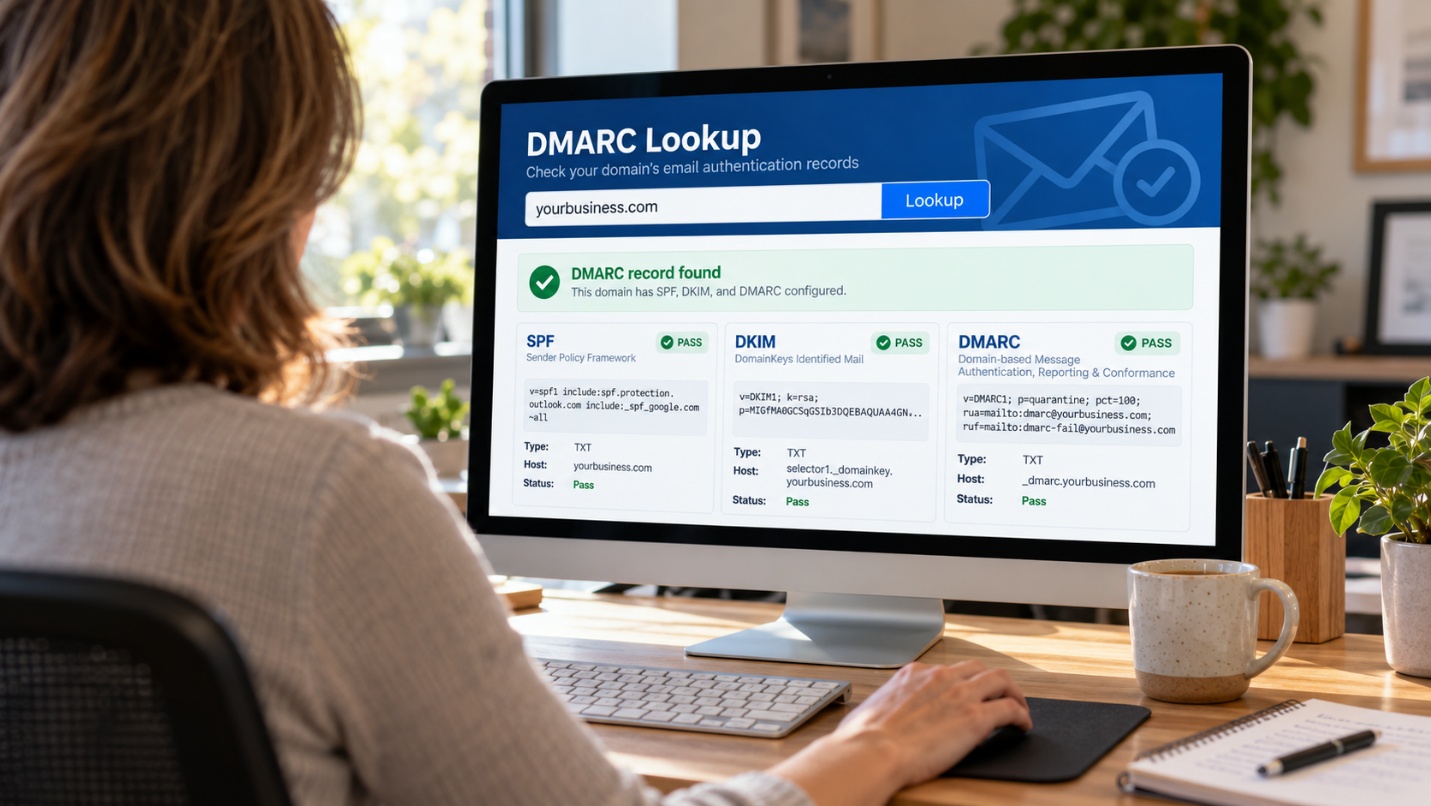
THE SHORT ANSWER
Yes. Unless your domain has three settings in place, anyone can send an email that appears to come from your exact address. SPF, DKIM, and DMARC are DNS records that tell receiving mail servers which messages really come from your business and what to do with the ones that don’t. Setting them up correctly is usually a one-time project, and it protects your customers, your vendors, and your reputation.
IN THIS GUIDE:
Why spoofing is your problem, not just your customers’
SPF, DKIM, and DMARC in plain English
Why your real email is landing in spam
How to check your domain in five minutes
Getting to full protection without breaking your email
What these settings don’t stop
Common mistakes businesses make
FAQs
Related resources
Why Spoofing Is Your Problem, Not Just Your Customers’
Picture one of your customers opening an email from your exact address. It has your logo, your signature, and an invoice for the right amount. The only change is a note saying your bank details have been updated. Your customer pays, and the money is gone. You never sent that email.
That’s called spoofing, and it’s one of the oldest tricks in email. Email was designed decades ago without any built-in way to prove who sent a message. The “From” line works like the return address on an envelope: anyone can write anything there.
The scam targets your customers and vendors, but your name is the one on it. When it works, you’re the one fielding the angry phone calls, and you may lose the relationship.
According to EasyDMARC’s 2026 adoption report, only about half of the top 1.8 million domains have a valid DMARC record, and fewer than one in four are set to actually block fake mail. Most small business domains we review fall into the unprotected group.
Pro tip: Spoofing protection is mostly invisible when it works. The only time most businesses learn they don’t have it is when a customer calls about an email they never sent.
SPF, DKIM, and DMARC in Plain English
These three records live in your domain’s DNS settings, the same place that tells the internet where your website and email are hosted. Think of your domain as an exclusive event.
SPF: The Guest List
SPF (Sender Policy Framework) is a list of the servers allowed to send email for your domain, such as Microsoft 365, Google Workspace, or your newsletter tool. When a message arrives, the receiving server checks whether it came from a server on the list.
DKIM: The Wax Seal
DKIM (DomainKeys Identified Mail) adds a digital signature to every message you send. The receiving server checks that signature against a public key in your DNS. If the seal is intact, the message really came from your system and wasn’t changed along the way.
DMARC: The Bouncer’s Instructions
DMARC (Domain-based Message Authentication, Reporting, and Conformance) tells receiving servers what to do when a message fails those checks: let it through, send it to spam, or reject it outright. It also sends you reports showing who is sending email using your name, including the people you didn’t know about.
SPF and DKIM on their own don’t stop spoofing. DMARC is the piece that turns them into a rule receivers actually enforce.
| Record | What it does | Plain-English version |
|---|---|---|
| SPF | Lists the servers allowed to send email for your domain | The guest list |
| DKIM | Digitally signs each message so it can be verified | The wax seal |
| DMARC | Tells receivers what to do with mail that fails, and reports back to you | The bouncer’s instructions |
Pro tip: You need all three. SPF without DMARC is a guest list with no one at the door.
Why Your Real Email Is Landing in Spam
These records used to be a nice-to-have. Not anymore. Starting in February 2024, Google’s sender guidelines began requiring SPF or DKIM for everyone who sends to Gmail, and all three records for anyone sending more than 5,000 messages a day. Yahoo set similar rules, and in May 2025 Microsoft began routing mail from high-volume senders that fail these checks straight to the Junk folder in Outlook.com.
Most small businesses don’t send 5,000 emails a day. But mail providers increasingly treat missing authentication as a warning sign at any volume. If your invoices, quotes, or newsletters are quietly landing in spam, missing or broken records are one of the first things we check.
Pro tip: Ask a few customers who use Gmail or Outlook.com to check their spam folders for your recent emails. It’s a quick, free test of your deliverability.
How to Check Your Domain in Five Minutes
You don’t need to be technical to see where you stand. Free lookup tools like MXToolbox or Google’s Admin Toolbox will show your records if you type in your domain name. Here’s what to look for:
- SPF record: a line starting with “v=spf1.” If there isn’t one, or there are two, that’s a problem.
- DKIM: this depends on your email platform. In Microsoft 365 or Google Workspace, it has to be turned on in the admin settings, not just in DNS.
- DMARC record: a line starting with “v=DMARC1.” Look for the “p=” setting.
The “p=” setting is the most important thing on the page:
- p=none: you’re watching but not blocking. Spoofed mail still gets delivered.
- p=quarantine: failing mail goes to spam.
- p=reject: failing mail is refused entirely. This is the goal.
When we ran this check on lddconsulting.com before writing this post, all three were in place, along with a quarantine policy. We still found a couple of settings worth tightening, which is typical: even a domain that’s set up correctly drifts as you add new tools.
Pro tip: Check your domain right after you add any new tool that sends email for you. That’s when records most often break.
Getting to Full Protection Without Breaking Your Email
The biggest risk with DMARC isn’t scammers. It’s accidentally blocking your own legitimate email. Most businesses send mail from more places than they realize. A safe rollout looks like this:
- Start at p=none and turn on reporting. For a few weeks, collect the DMARC reports and see every service sending as your domain.
- Find the forgotten senders. These are usually your accounting software sending invoices, your CRM, your website’s contact form, your marketing platform, and the copier that scans to email.
- Fix each one. Add each sender to SPF and set up DKIM signing where the service supports it.
- Move to quarantine. Watch the reports for anything legitimate that’s failing.
- Move to reject. Once the reports are clean, lock the door.
With managed IT services, this rollout and the ongoing report monitoring are handled for you. Someone notices when a new tool starts failing before your customers stop getting your invoices.
Pro tip: DMARC reports arrive as raw XML files that nobody wants to read. A reporting service turns them into a dashboard. If you’re emailing them to someone’s inbox, they’re almost certainly going unread.
What These Settings Don’t Stop
SPF, DKIM, and DMARC protect your exact domain. They won’t stop:
- Lookalike domains: a scammer registers “lddconsu1ting.com” or “lddconsulting.co” and sends from there. The records on your domain don’t apply to theirs.
- Hacked real accounts: if a scammer gets into a real mailbox, their messages pass every check because they really are coming from your system. Multi-factor authentication is the defense here.
- Free email accounts: a message from “YourCompanyBilling@gmail.com” isn’t spoofing your domain at all. It just uses your name in the display line.
Next week, David shares a scam he ran into firsthand, and what it shows about the threats these settings can’t catch.
Pro tip: Email authentication protects your domain’s reputation. Your team still needs to know the warning signs we covered in Holiday Phishing Scams to Warn Your Team About.
Common Mistakes Businesses Make
Mistake 1 — Setting Up SPF and Stopping There
SPF is the record most businesses have, usually because someone set it up years ago with their email provider. On its own, it doesn’t stop anyone from spoofing your “From” address. Without DMARC, there’s no enforcement.
Mistake 2 — Leaving DMARC at p=none Forever
We see this all the time with new clients. Someone added a DMARC record at p=none, meant to come back to it, and never did. Monitoring mode is the first step, not the finish line.
Mistake 3 — Having Two SPF Records
When a new service tells you to “add this SPF record,” it’s easy to create a second one. A domain can have only one SPF record, so two records cause both to fail. SPF also limits the number of lookups it can perform, so long lists of services can break it silently.
Mistake 4 — Forgetting Third-Party Senders
Your email platform might be configured perfectly, but invoices from your accounting software or receipts from your payment system also go out under your name. If those aren’t set up, moving to quarantine or reject sends your own invoices to spam.
Mistake 5 — Nobody Reads the Reports
DMARC reports tell you when a new tool is failing, and when someone is actively trying to impersonate you. If those reports land in an inbox nobody checks, you lose the early warning DMARC was built to give you.
Frequently Asked Questions
Yes. Scammers use automated tools that look for any domain they can impersonate, regardless of size. Smaller businesses are often easier targets because their customers trust them personally.
Not if it’s rolled out in stages. Starting in monitoring mode and moving to enforcement only after the reports are clean is what prevents legitimate mail from being blocked.
Partly. Both platforms help you set up SPF and DKIM, but DKIM often has to be turned on manually, and neither platform creates an enforcing DMARC policy for your domain. Your third-party senders also need to be set up separately. We compared both platforms in Microsoft 365 vs Google Workspace 2026.
DMARC reports show every server that sent mail using your domain, including ones that failed. Often the first sign is a customer asking about an email you didn’t send, but reports let you see it sooner.
It stops scammers from using your exact domain to fool your team, which helps. It doesn’t stop lookalike domains or emails from free accounts, so training and good IT support still matter.
Run a free lookup on your domain and check your DMARC policy. If you see p=none, or no DMARC record at all, contact us and we’ll review your records and map out a safe path to full protection.
Related Articles & Next Steps
→ Holiday Phishing Scams to Warn Your Team About
→ Cyber Insurance Readiness: What Insurers Require
→ Microsoft 365 vs Google Workspace 2026
Sources

David Luft
CEO, LDD Consulting
David founded LDD Consulting in 2003 with a straightforward mission: help small and mid-sized businesses in Albuquerque and across New Mexico get reliable, enterprise-quality IT support without the enterprise price tag. He holds an MBA with a concentration in Information Systems from the University of New Mexico, along with Microsoft Certified Systems Engineer (MCSE) and Microsoft Certified Trainer (MCT) credentials. He’s been solving business technology problems for more than 25 years.