

Your Next IT Budget Starts in Q4

Q4 IT Budget Planning: Start Before January

Most small businesses build next year’s IT budget in January. But the things that actually decide that budget are already in motion in October: contracts that auto-renew on January 1, the security controls your insurer will ask about at renewal, hardware that’s aging out, and whatever’s left of this year’s budget.

The Difference Between IT Spending and IT Investment

IT Spending vs. IT Investment: What’s the Difference

IT spending is money that keeps the lights on: licenses, renewals, break-fix repairs, the recurring costs of running technology day to day. IT investment is money tied to a specific business outcome: reduced risk, more capacity, fewer hours lost to manual work, a better customer experience.

Cyber Insurance Readiness What Insurers Require

Cyber Insurance Readiness: What Insurers Require

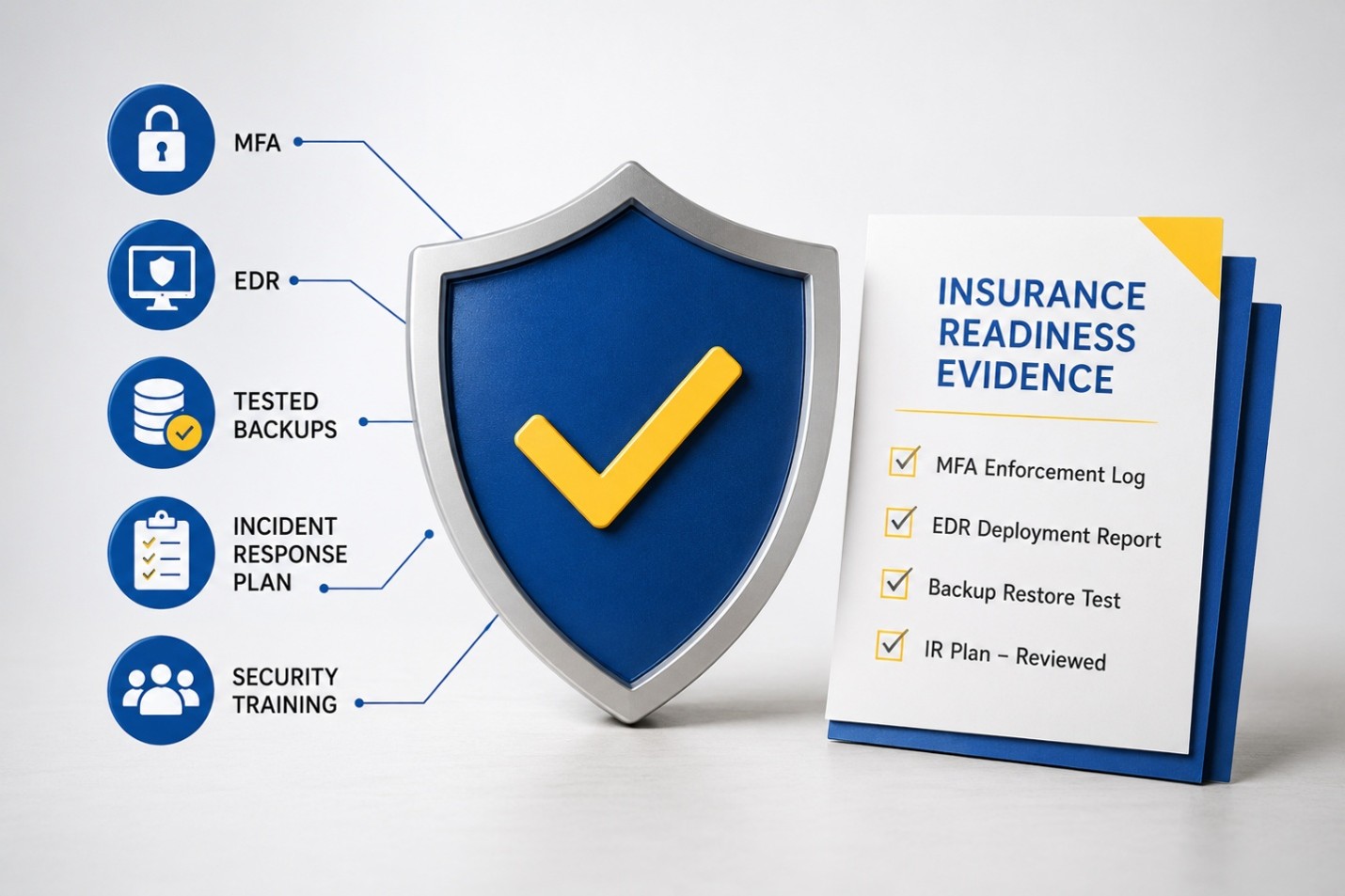
Cyber insurance used to be a simple application and a check. Today, insurers require documented proof of specific security controls — multi-factor authentication, endpoint detection and response, tested backups, and a written incident response plan — before they’ll write or renew a policy.

Why IT Problems Always Seem to Happen at the Worst Time

Why IT Problems Happen at the Worst Time

IT problems don’t actually happen more often at bad times — they just get exposed at bad times. Systems fail under stress, and your busiest, highest-stakes moments (product launches, month-end close, your biggest sales day) are exactly when your infrastructure is under the most load.

Business Continuity vs. Disaster Recovery

Business Continuity vs. Disaster Recovery: Key Differences

Disaster recovery is about getting your systems and data back — restoring servers, files, and applications after something goes wrong. Business continuity is bigger: it’s how your entire business keeps functioning while that recovery happens — who talks to customers, where staff work from, how payroll gets processed, which vendors step in.

Choosing the Right IT Partner

How to Vet an MSP: What to Actually Ask Before You Sign | LDD Consulting

Every managed service provider claims fast response times, strong security, and great communication — the real differences only show up once you ask specific, pointed questions. Vetting an MSP well means checking their certifications independently, requesting real client references in your industry, understanding exactly what’s included versus billed separately, and confirming their security and compliance depth actually matches your business’s risk profile.

Shadow IT and Shadow AI

Shadow IT: The Apps Your Employees Are Using Without Telling You| LDD Consulting

Shadow IT is any app, tool, or service employees use for work without IT’s knowledge or approval — a personal Dropbox account, a free project management app, an AI chatbot used to summarize a client contract. It usually starts with good intentions: someone wants to work faster and doesn’t want to wait on an approval process. But every unapproved tool is a blind spot — data your IT team can’t secure, back up, or even see.

Vacation Season Is Peak Season for Cyberattacks

Vacation Season Is Peak Season for Cyberattacks — Here’s Why | LDD Consulting

Cybercriminals don’t take vacation — and they know when your team does. The FBI and CISA have specifically warned that attackers time major ransomware attacks to coincide with holidays and long weekends, precisely because network defenders and IT support are running at limited capacity. Summer vacation schedules create those same conditions for weeks at a time: slower detection, easier impersonation, and more time to move through your systems before anyone notices.

Is Your Incident Plan Actually Going to Work

Is Your incident Response Plan Actually Going to Work? | LDD Consulting

The only way to know if your incident response plan will actually work is to test it before a real attack forces you to find out. A tabletop exercise — a structured walkthrough where your team responds to a simulated cyberattack scenario — exposes the gaps, unclear roles, and outdated contact info that live inside every untested plan. Businesses that skip this step often discover their plan fails at the exact moment they need it most.

Cloud Backup vs. Local Backup

Cloud Backup vs. Local Backup: What’s Right for Your Business

Cloud backup stores your data offsite on remote servers accessible via the internet, while local backup stores it on physical devices at your location — and for most small businesses, the right answer isn’t one or the other, but a combination of both. Each option has real strengths and real limitations, and the best fit depends on your business size, budget, industry, and how quickly you need to recover when something goes wrong.